
Excofy Integration
Learn how to set up OneClick Tracking on Excofy.
OneClick Tracking is a feature for Meta Ads advertisers who use Excofy as the checkout for digital products, such as courses, e-books and mentorships. It provides immediate and accurate conversion tracking.
This solution fixes wrong attributions made by Meta, delivering real data based on UTMs and enabling safer scaling decisions.
From your Excofy account’s sales webhook, OneClick considers UTM data as well as Meta’s, without duplicating conversions.
How to Connect OneClick Tracking to Excofy
Section titled “How to Connect OneClick Tracking to Excofy”-
Log in to your OneClick Ads account.
-
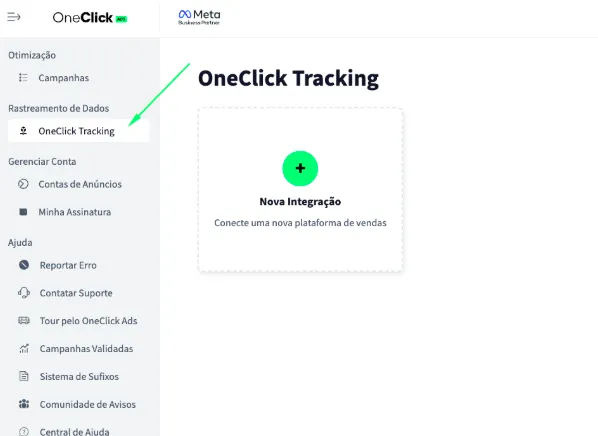
Go to the "OneClick Tracking" tab, available in the left sidebar of OneClick Ads.
-
Click "New Integration".
-
Select the "Digital products" product type and click Continue.
-
Select the "Excofy" platform and click Continue.
-
Copy the Webhook URL generated by OneClick and register it in Excofy: a. Each ad account has a unique, automatically generated link. b. In the Excofy dashboard, open the integrations’ Webhooks area and register the copied URL as the sales webhook.
-
Copy the UTM Script generated in OneClick Tracking.
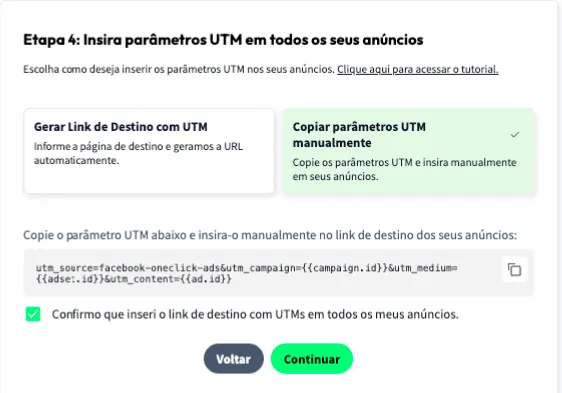
7.1. Paste it into the "URL parameters" field in ALL of your ads in Ads Manager, as shown below:
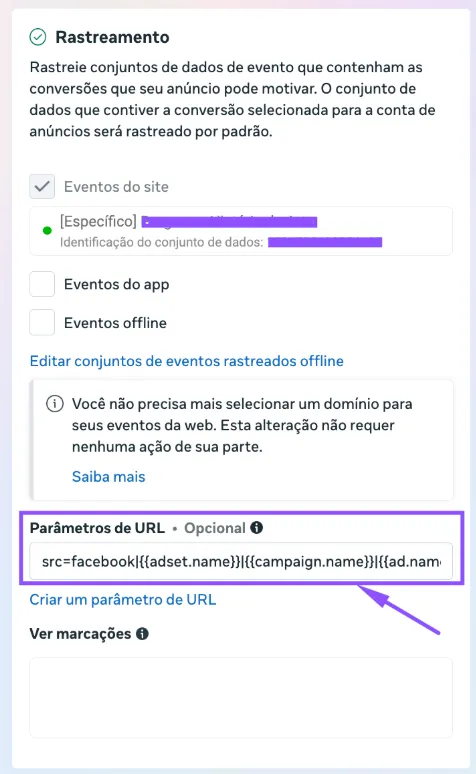
- Add the UTM Passthrough Script to all your sales pages, so the UTMs are carried through to the final checkout page: a. You can install it on your website via Google Tag Manager or, preferably, directly in your website's header. b. The script must also be present on the landing page that comes before the Excofy checkout.
-
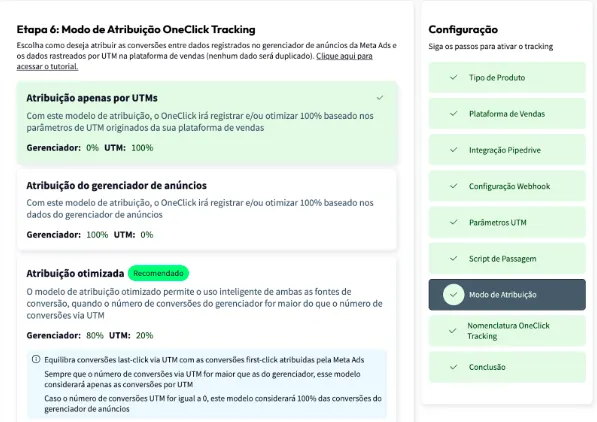
Set the Attribution Mode.
- Watch this video to understand each model.
- Click Continue.
-
Set the Naming Convention that your campaigns, ad sets and ads will receive in your Ads Manager and click next.
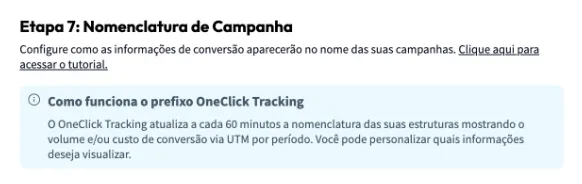
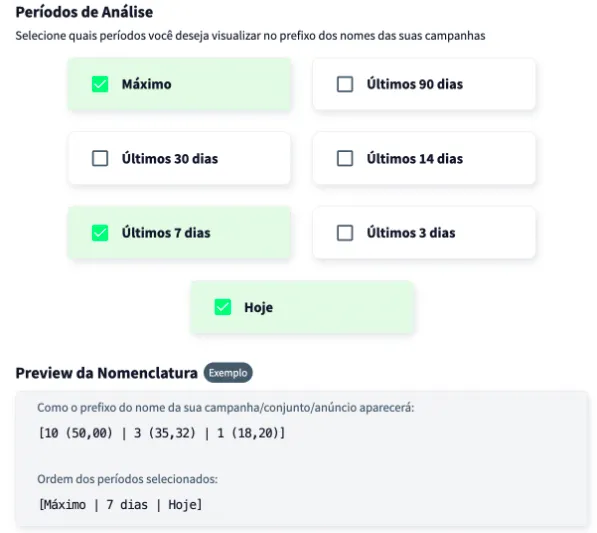
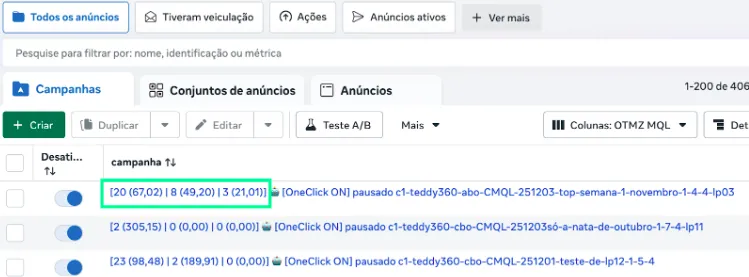
Wait at least 24 hours for the setup to take effect, and all your campaigns (those that receive conversions) will start recording conversions right inside Ads Manager.
Important Notes
Section titled “Important Notes”- OneClick Tracking records the sale at the total amount paid (
totalAmount), order bumps included, in reais. Every product in the sale, order bumps included, is stored with the conversion. - Each sale is recorded only once, by its Excofy sale id, even if the webhook is sent again.
- Attribution depends on the UTMs that reach the Excofy checkout (
utmParams). A sale without UTMs is received, but cannot be linked to any campaign. - Were you using the n8n workflow with the Custom integration? In Excofy, replace the webhook URL with this integration’s URL and deactivate the workflow in n8n. If both stay active, each sale arrives twice, through two different integrations.
- Only campaigns created after setup will have access to the “Maximum Period” data. This does not affect OneClick Ads optimization of older campaigns in any way.